Posts

Showing posts with the label Terminal

[MySQL with MAMP] Using MySQL with MAMP in a Terminal

Image
  To use the MySQL command line with MAMP or MAMP PRO , perform the following steps: Start MAMP or MAMP PRO Start the server Open Terminal (Applications -> Utilities) Type in: (one line) 
 /Applications/MAMP/Library/bin/mysql --host=localhost -uroot -proot Now you can use the MySQL command line. For exmaple to show all your databases with show databases; .
[Mac OS X] Creating a .bash_profile on your Mac Terminal

Image
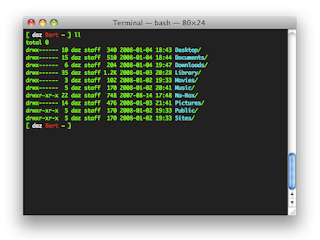
Look & Feel of the Terminal window can be modified in two ways: First by opening the Preferences option available under Terminal Menu --> Preferences and make modifications to the layout settings of my choice. Other option is using a .bash_profile. When you want to run functions from your command line, this is a must-have. Following steps will create a .bash_profile under the home directory. Start up Terminal Type "cd ~/" to go to your home folder Type "touch .bash_profile" to create your new file. Edit .bash_profile with your favorite editor (or you can just type "open -e .bash_profile" to open it in TextEdit. Type d following in my .bash_profile file: # Make ls use colors export CLICOLOR=1 alias ls='ls -Fa' # define colors C_DEFAULT="\[\033[m\]" C_WHITE="\[\033[1m\]" C_BLACK="\[\033[30m\]" C_RED="\[\033[31m\]" C_GREEN="\[\033[32m\]" C_YELLOW="\[\033[33m\]" C_BLUE=...